Hi Friends,
In this post I will describe my view of what is InventDimID and how we can use it in our solutions.
We know there are different inventory dimensions available in Microsoft Dynamics AX like Site, Warehouse, Location, Pallet, Batch number, Serial number etc. These can be active for an item based on the storage dimensions assigned on it.

Let us take an example, we have an Item "BRK6348" on which Site, Warehouse, Location, Pallet ID are active and we did an inventory transaction on this item say on Site '01', Warehouse 'Main', Location 'LOC001' and Pallet Id 'PLT001' and we want to design a table to store all these values on our custom transaction table.
A simple approach is to add fields for all the inventory dimensions in your table. Imagine if there are 10 inventory dimensions in system then we need to add 10 fields in our table and if we have 100 inventory transactions for this item on the set of these inventory dimension combination then we will storing same data in 100 records in all 10 fields. This will bloat the database size and also impact the performance of queries on this table. A sample of such table would look like below:

Now to simplify this we create a new ID field which refers to a set of combination of these values. For example ID "10001" refers to Site '01', Warehouse 'Main', Location 'LOC001' and Pallet Id 'PLT001'. We also create a separate table to store values of these 10 fields along with this ID field and add ID field in our transaction table. So in all 100 records we can store data in only one ID field.
We are not required to store data of 10 inventory dimensions fields 100 times, instead we just need to store value of 1 field in 100 records pointing to same combination of these inventory dimensions. A sample of such tables with some records will look as below:

This ID in Dynamics AX is known as InventDimID and the table which stores all the combinations of inventory dimensions and there ID is InventDim:

This table plays very important role in AX. Any table which stores inventory dimensions in AX like salesLine, purchLine,inventTrans all have relation to inventDim table.
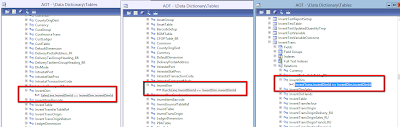
There are already functions to create and find inventDimID for a combination if inventory dimensions . Most commonly used is findOrCreate just initialize a blank instance of inventDim table object, assign all your inventory dimensions and then call this function to assign the inventDimID to your record. If a invnetDimID for the combination exists then system will return it else it'll create a new and return the inventDimId.

So if you are designing new tables in system to store inventory dimensions, then leverage this smart database architecture of AX and give your solution a smart design.
In this post I will describe my view of what is InventDimID and how we can use it in our solutions.
We know there are different inventory dimensions available in Microsoft Dynamics AX like Site, Warehouse, Location, Pallet, Batch number, Serial number etc. These can be active for an item based on the storage dimensions assigned on it.

Let us take an example, we have an Item "BRK6348" on which Site, Warehouse, Location, Pallet ID are active and we did an inventory transaction on this item say on Site '01', Warehouse 'Main', Location 'LOC001' and Pallet Id 'PLT001' and we want to design a table to store all these values on our custom transaction table.
A simple approach is to add fields for all the inventory dimensions in your table. Imagine if there are 10 inventory dimensions in system then we need to add 10 fields in our table and if we have 100 inventory transactions for this item on the set of these inventory dimension combination then we will storing same data in 100 records in all 10 fields. This will bloat the database size and also impact the performance of queries on this table. A sample of such table would look like below:

Now to simplify this we create a new ID field which refers to a set of combination of these values. For example ID "10001" refers to Site '01', Warehouse 'Main', Location 'LOC001' and Pallet Id 'PLT001'. We also create a separate table to store values of these 10 fields along with this ID field and add ID field in our transaction table. So in all 100 records we can store data in only one ID field.
We are not required to store data of 10 inventory dimensions fields 100 times, instead we just need to store value of 1 field in 100 records pointing to same combination of these inventory dimensions. A sample of such tables with some records will look as below:

This ID in Dynamics AX is known as InventDimID and the table which stores all the combinations of inventory dimensions and there ID is InventDim:

This table plays very important role in AX. Any table which stores inventory dimensions in AX like salesLine, purchLine,inventTrans all have relation to inventDim table.

There are already functions to create and find inventDimID for a combination if inventory dimensions . Most commonly used is findOrCreate just initialize a blank instance of inventDim table object, assign all your inventory dimensions and then call this function to assign the inventDimID to your record. If a invnetDimID for the combination exists then system will return it else it'll create a new and return the inventDimId.

So if you are designing new tables in system to store inventory dimensions, then leverage this smart database architecture of AX and give your solution a smart design.


